Showing posts with label Revision of Products. Show all posts

Ancillary Task: Website Final

Click the image to view the site
Here is my finished website. The production was a very long, drawn out process that was constantly a work in progress, so the drafting process was very much ongoing as opposed to one draft and a final product. The flat plan in a previous post, I would consider a draft as it is very detailed and contains some elements such as individual parallax scrolling images that I omitted.

Unfortunately, due to the complex elements involved, the site is not compatible with all older browsers and would require an updated browser such as Google Chrome, Mozilla Firefox, Safari or a newer version of Internet Explorer.

Most people have an updated browser, anyway, so this is not much of an issue.

Ancillary Task: Digipak Draft and Final

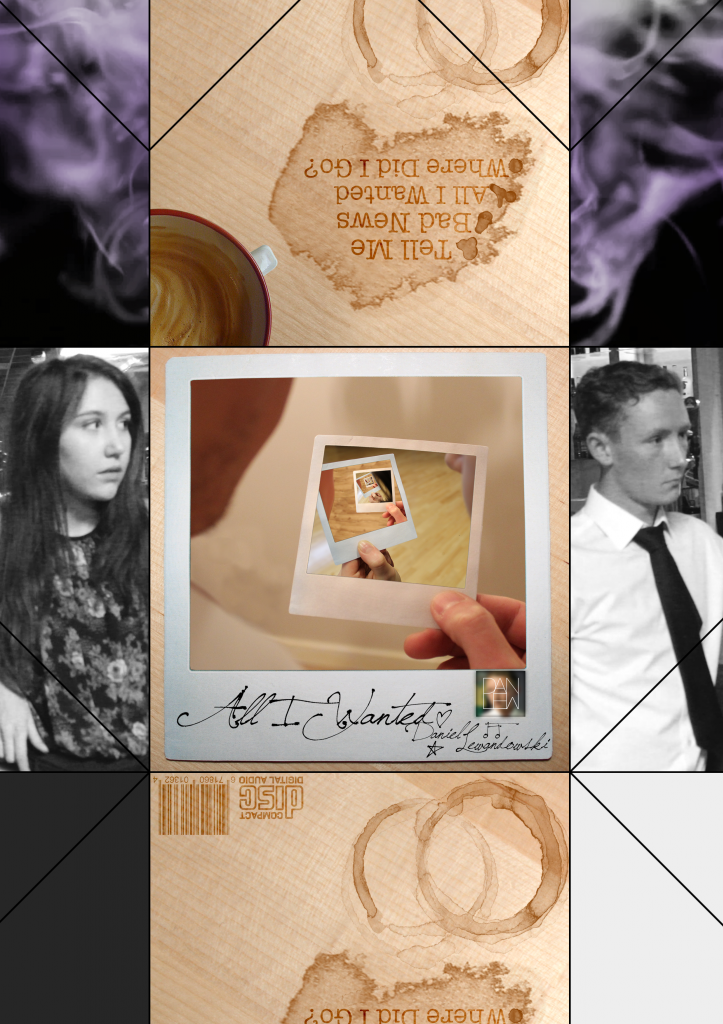
To successfully produce my Digipak, I felt it necessary to produce a draft of the digipak which leaves room for improvement. There is, however, very little difference to the final article as I wanted to gain feedback from colleagues and to reflect on it myself. Below is the draft for my digipak:


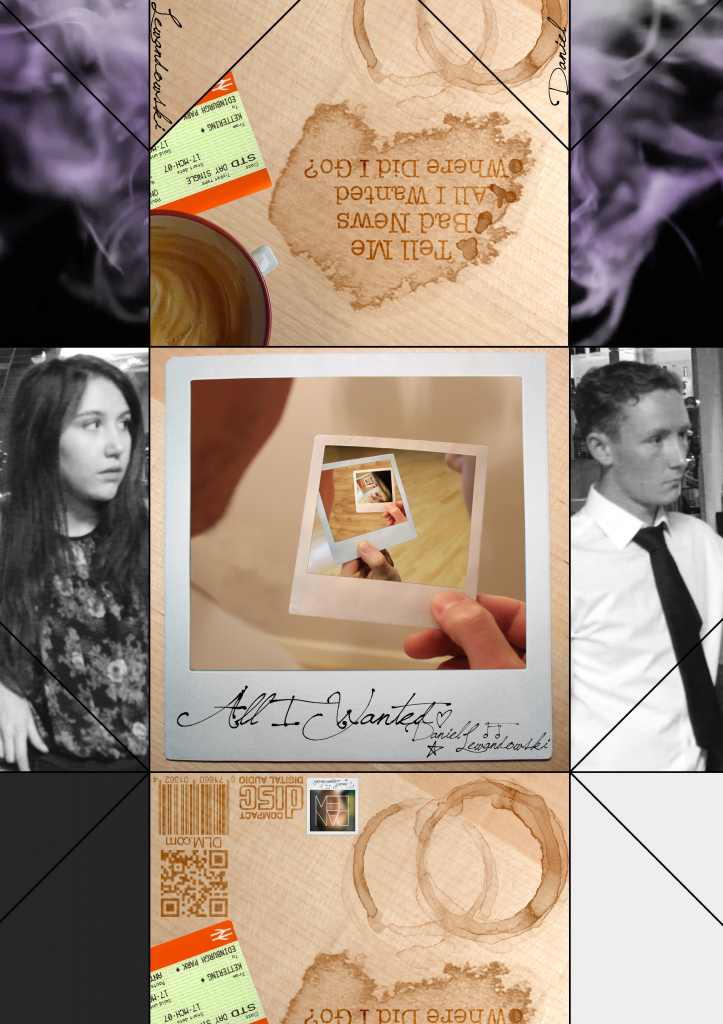
The digipak, I felt needed a few extra elements, which are listed below with the final copy:

  • Removal of logo on the front cover and placing it on the back
  • Inclusion of a QR code on the back
  • Addition of a train ticket on the back cover to connote memories and someone moving away
  • Artist name/signature included on the fold over flaps

All I Wanted Music Video - Final

After much refinement and further editing, I have completed my Music Video for Daniel Lewandowski's song, All I Wanted. I am very proud of the end result as it is a conglomeration of my editing skills and shot choice, put into five minutes. I opted for the flashback scenes to be in black and white, with some added glow, which was to the benefit as it is now much more understood by the audience members I have shown.

All I Wanted Music Video - Draft

Below is the first draft of my music video. The draft is incomplete, but it is a basis to work by and to tweak as I complete the project. My next draft shall be complete and the upload after that will be my final product.


Artist Logo

An important element of my ancillary tasks - and my main task should I choose to include it - is the artist logo. This reveals the identity of the artist and, in most cases, becomes the one image a fan or even anyone can look at and immediately know the artist.

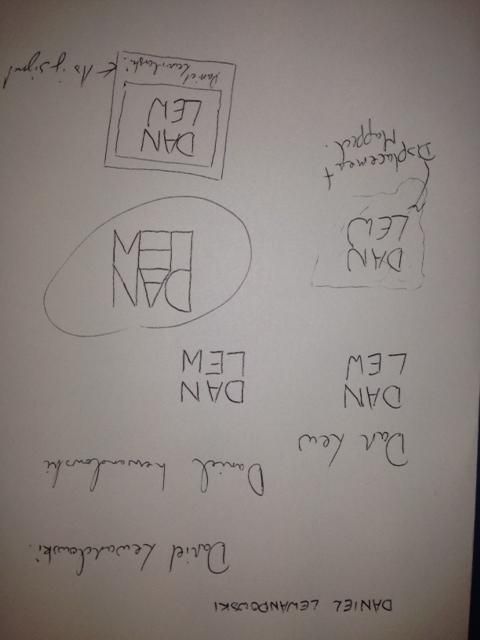
Logos vary immensely; I carried out a small amount of research before beginning the task, but only to grasp an idea of what has been done as it is important that they remain original. I then began mocking designs, playing with the artists name, Daniel Lewandowski, to find a structure for his name:


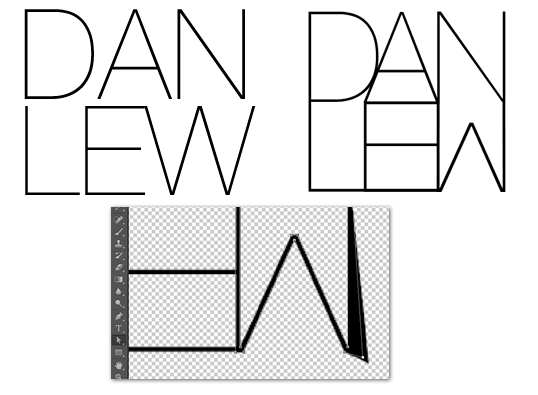
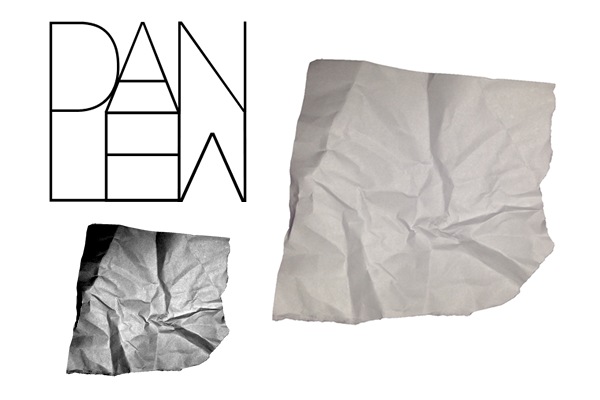
Once I had done this initial planning, I moved on to experimenting in Photoshop. I had already formed the idea of what I wanted to create so it was up to following my plans from here. The most important element of all of my designs was the specific way in which I designed the lettering so the first port of call was to create that. My favourite, san-serif font is Helvetica and the slightest version of this is Helvetica Neue Ultralight so that was the end choice. The font needed a fair bit of editing, however, so I converted the letters to paths in photoshop and reshaped them until they resembled what I wanted. The image to the left is the original font where the right image is the final result: 


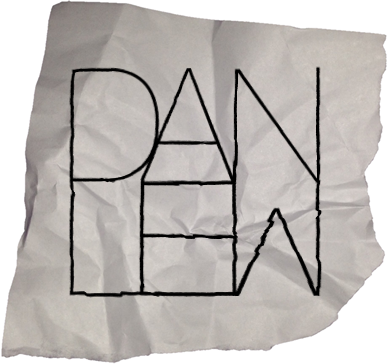
After this, I worked on my first draft. This design involved a crumpled piece of paper - in-keeping with my website -  that the text was formed to. To achieve this result, I used a displacement map in photoshop. This involved altering the contrast and brightness of the background image to make the contours much more obvious. The map is then applied to the text which then forms itself to the paper and appears to be written on it. This process created:
Logo 1

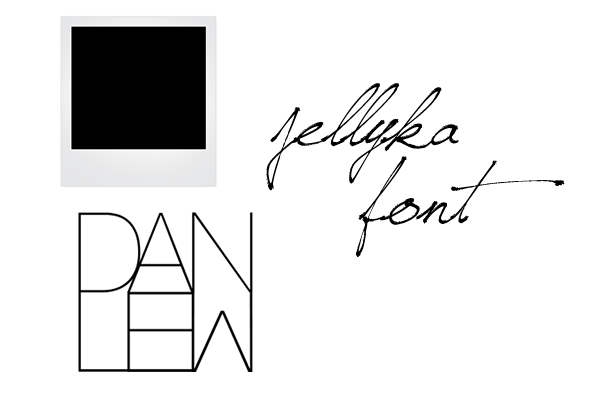
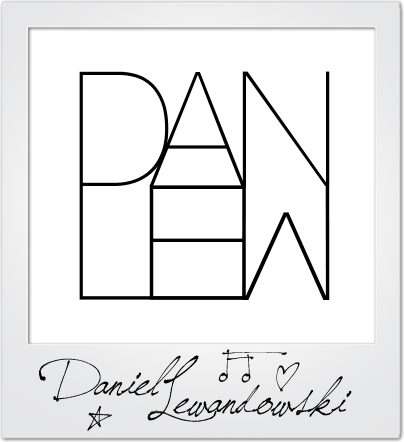
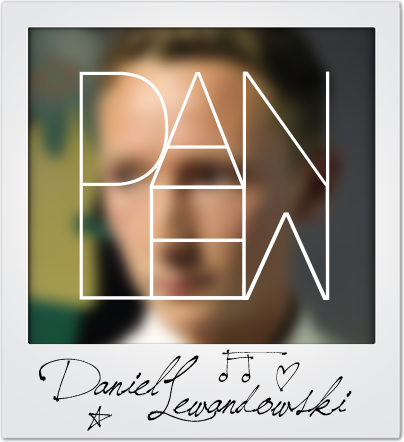
The second design involved the inclusion of a Polaroid picture background with a signature caption for a bit more personality as the first design wasn't overly complex or revealing of the artist/brand. The font I used was Jellyka Saint Andrews Queen as it caught my eye as a very detailed, personal font that could be mistaken as true handwriting, which is rare. Utilising the way the font alters characters to drawn images, I added some extra characters for decoration:
Logo 2

The design didn't look quite right to me and I even asked for feedback too, which a final idea flourished. I offered up the idea of a background image that was slightly blurred so as not to take away from the logo, but add colour and more of a persona. The logo then became:

Logo 3

I really like this logo as it feels like it contains all of the elements I wanted and serves as a memorable brand identity. Finally, I put the logos up for a vote amongst my peers to ascertain which was the best when my audience was concerned. Luckily, the final logo reined as champion and I agreed with my demographic. This design, therefore, will be the logo I will use in my tasks.

Green Screening and Rotoscoping


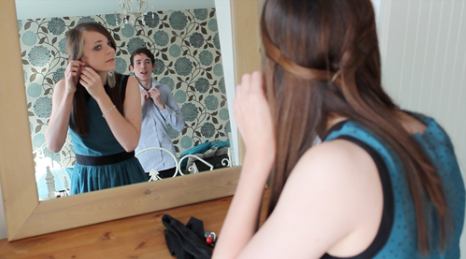
As part of my initial first video shoot, I incorporated a green screened shot which meant I could securely film my action without the shake or risk of being in a moving car. To embellish the chromakeyed area, I rotoscoped masks over the window behind the actress - having to form a mask around her facial features. 

Due to the complex movements she made, tweening the keyframes was not 100% effective so I manually altered it for every frame of the 6 second clip which amassed to over 150 separate frames. The end result does look professional and I'm very proud of the effect it produces. After changing my actors, however, and after receiving feedback from peers, I have decided not to use green screen for the refilming of the scene or for subsequent shots. The process if very time consuming and I do believe the achieved result may not be worth the time it will take away from the projects schedule. 

Actor Change

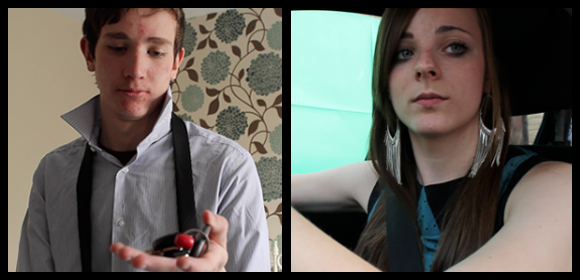
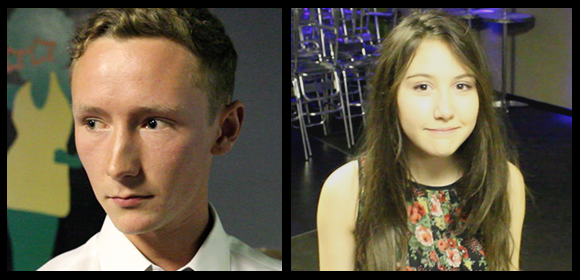
Unfortunately, the worst came to worst and I had to make the decision to change my Actors. Working around the schedules of my first lot of actors became to difficult and meant I wouldn't be able to make any of my deadlines which was not an option. Thanking my actors for their help, I began the search for people who would be more available. My difficulty was, however, that I did not know a great number of couples who would both be up for the project and suit my vision. I, therefore, chose to look for separate people who could hopefully act as a couple between the two of them. With this, I arrived at my friend Dave and a colleague from my school, Charley:

As they are not a couple, I had expected filming may be slightly awkward, but both were very good actors and followed direction extremely well. I was extremely happy with their participation in the first video shoot and the suspected barrier was not withstanding.

I have lost a small amount of footage due to this change, but my time has been saved in the long term and I don't begrudge having changed. 

Scheduling Difficulty

As I am working with a venue which can only offer me restricted times to film and actors, some with full time work commitments, it has been incredibly difficult to organise when I can film scenes. The first film shoot was only possible when it was completed due to surplus time during pre-booked holidays which were not especially for production. I have now secured an appointment to discuss suitable days to film, though I have been informed that the least busy periods are Mondays and Wednesdays in the day. This could be a potential problem as my female actor works 9 till 5 every day where my male actor begins work at 5 o'clock, which leaves no time for filming their joint scenes. I will have to enquire about other times where the room may be available for a short amount of time where I can film the shots that involve both actors. Luckily, the actor I need for most of the production, is available most of the day. 

Audience Feedback on Initial Footage

After filming, I decided to ask some of my colleagues what they thought of the footage to receive some feedback on what I had done and what they felt I should do for future shots. Asking three colleagues and one of my teachers, I received a varied range of comments on my shots. Below are some of the screenshots I used in the initial footage recount with comments from them:

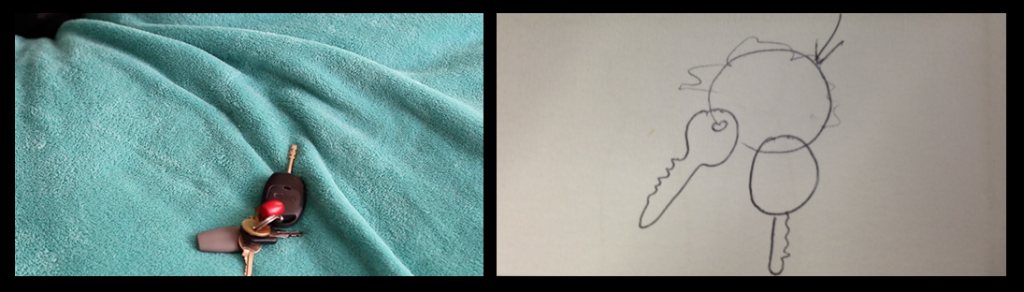
Shot 25


Colleague 1: "I think you did the right thing, by swapping characters; the driver storming off and throwing the keys to indicate she wants to leave seems more believable than the one who is not driving leaving and having to wait for the driver anyway."

Colleague 2: "The framing works well, and you did well to re-imagine it after the initial frame didn't work.

Shot 26


Teacher: "The focus on the keys is very nice and it is clear you did this before starting the scene."

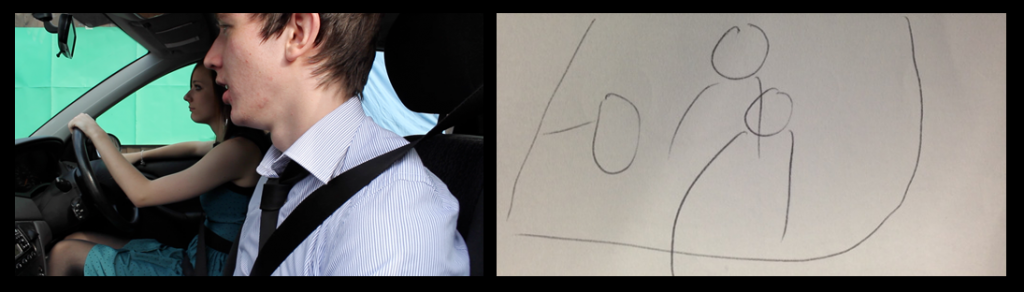
Shot 34


Colleague 3: "This shot works well and, having seen the edited footage already, it works really well, but I would advise you use green screen as little as possible from here on out because removing the undesired elements is a lot of work."

Teacher: "The movement is nice and smooth which utilises your dolly well."

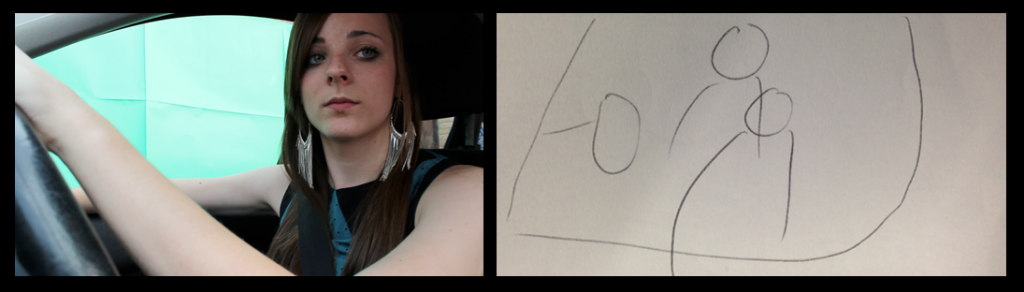
Shot 34.5


Colleague 2: "Like Colleague 3 said, the green screen does still look good, but it is obviously a lot of work which could be avoided. If you were planning again, it may have been better to film with an actual background though steadiness is compromised."

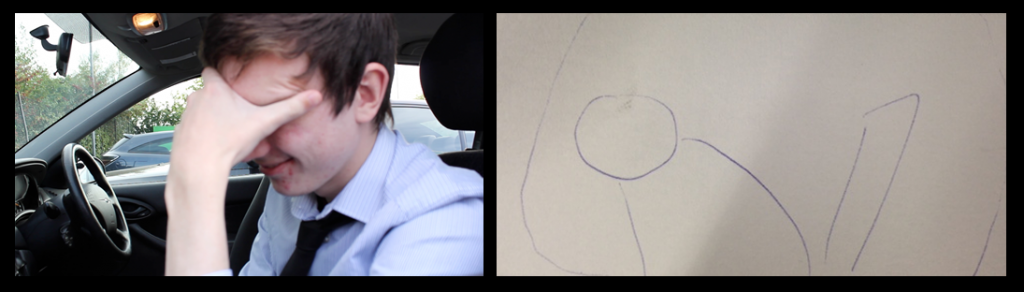
Shot 37


Colleague 1: "I really like this shot, though the focus could be slightly sharper; the emotion really shines through."

Teacher: "The closeness to the character and his sheer emotion is almost eery - I feel your choice of actor was well done as they have really committed themselves to the performance."

Shot 49


Teacher: "Using steadicam, you have followed the character well which was your intention - the turn could be longer though due to that the shot doesn't last too long."

Camera Difficulty


Not only for this project, but to have my own high quality, professional device for filming future projects and taking still images, I decided to upgrade my camera. I previously had the Canon EOS 1100D which was used for my AS Level Media film, but does not provide the same film quality as the more advanced models. As a replacement, I decided to purchase the Canon EOS 650D, which is the cheapest model which offers 1080p video recording, but still has a similar ISO range. 

Unfortunately, however, the company I 'purchased' the camera from was illegitimate and there were hidden costs which I was not notified of before purchasing. Cancelling this order, I then had to work extremely hard to retrieve my money as a refund, resorting finally to claiming through PayPal due to the difficulty the company posed. 

Once the money came through from PayPal, I decided to find a reputable, high street company to purchase the camera from which posed another problem. Most stockists do not offer the 650D, though they do offer other models. I, therefore, began to look at the 60D which is a fair few models up from the 650D, let alone the 1100D and provides a much higher quality of video and stills. It also supports a greater range of features which are well worth the extra price. I, therefore, knowing should I order this I would never need another camera, opted for the 60D.

Now that I have the camera, I can begin filming which has kept me behind slightly.

Revision of Shot Design

Some of the shots in my storyboard are quite adventurous. Those that are adventurous can be categorised into those that I know will work, but may need some planning before hand and those that I have never tried before and cannot be sure will work. 

The most difficult of these is a ghosted shot made up of two identical shots, one with just the background and one with the background and actors. Overlaying these two shots and reducing the acting layers opacity produces a ghosting effect. 

I have other shots similar to this, but the difference here is I want the camera to slowly track around the characters. To produce the effect I would need to reproduce the exact same movement for two separate shots. Due to how difficult this is, I attempted to test the shot which added the obstacle I expected; producing the same movement is nigh on impossible and I can not be sure I will be able to do so smoothly. 

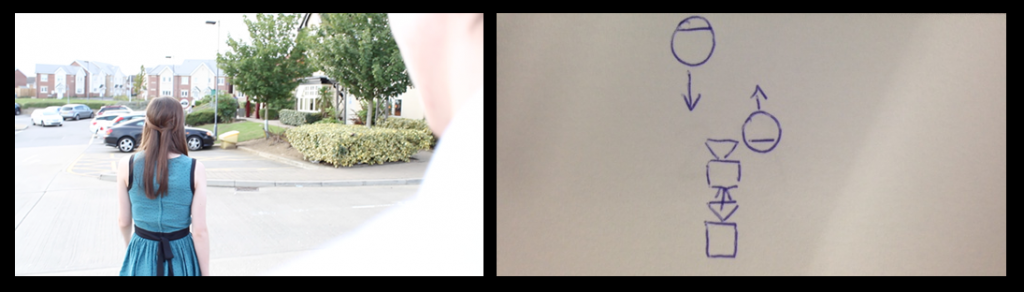
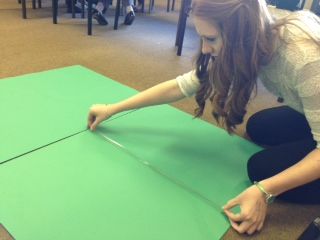
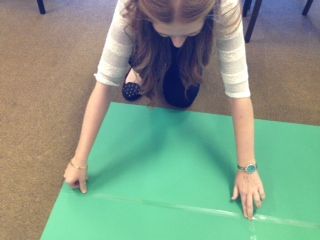
To remedy this, I revised the shot and now know how I will successfully produce it. Acquiring green paper from the Art department at my school, I have been able to redesign a working shot using a portable green screen where the background of the acting scene does not need to be the same and it can be superimposed over the top. To acquire the shot I will film the scene twice. The first shot is a 360 pan around a spot as if there were characters in the centre. To accompany this, the green screened shot will involve the actors dancing and spinning on the spot to recreate the camera movement. Editing these two together, if the speed is the same, will look like the shot was filmed as one and the movement is entirely natural.

Audience Survey Results

As a form of research for my Music Video, I decided to devise an Audience Survey that would enlighten me as to what my Target Audience preferred in a Music Video. This proved very useful as it has resulted in my contemplating whether a multi-strand narrative would be an interesting addition to my plan and, if I can devise a good enough narrative and storyboard, something I will most probably produce. The survey is to test my chosen plot which I provided the participants with and is situated below before the Survey files:

In a nutshell, I plan for the Music Video to begin with the ending of a party where difficulties have caused a fall out between one of the performers and their partner. After the scene is set that the party is over and all bar the two performers have gone home, one begins to perform the song and the other joins in. To reveal the falling out, there are flashes back to events throughout the night and other days where cracks are forming. By the end of the song; however, it turns out the partner has been listening from the exit and has returned.
Audience Survey
Compiled Survey Results
The data that can be found in the latter is very difficult to understand out of context, so below is a breakdown of each question and the responses I received. I have decided that my target audience will be predominantly Males between the ages 16 and 25 so these are the results I value most, though the others are good feedback for a general response.

Would you consider yourself a fan of acoustic music?

35% No      65% Yes
The majority of the participants that I canvassed expressed a positive opinion towards acoustic music. This is encouraging as a standalone question, though it's purpose was really to then determine the significance of their later answers. The majority of people in my target age demographic also enjoy acoustic music.


Do you enjoy watching Music Videos?

100% Yes
Again, though it reveals that I have chosen the correct brief for my target audience, this question is to determine the level of significance of further answers. 100% of my participants enjoy Music Videos, so the brief is obviously a good choice for all, not just my demographic. This means that I can value all other answers as they will be from people with experience and, more importantly, an interest in watching Music Videos. 

Is it important to see the artist and have them involved in the video?

30% No      70% Yes
70% of my participants felt the artist should feature in the music Video, a view I agree with which was a good result to obtain as I can follow my own beliefs while still catering to a large audience. 80% of my target audience, also, believe the artist should be involved so that solidifies my decision that they will be involved in both narrative and performance.


Do you feel the narrative of a Music Video is more important than the showcasing of performance?


40% Performance 40% Equal
20% Narrative
A number of my younger participants felt the performance side of a music video was more important, though as I am aiming the video at a slightly older audience, I feel their views are more representative of my audiences. I am also making an executive decision, despite there not being an overwhelming majority wanting it, to focus on narrative equally if not more than performance as I feel it will allow me to produce a Music Video more representative of my skills in film making and storytelling. 

What is your favourite Music Video?

It's difficult to represent open questions such as this in results, though I made a note of all responses - found below - and chose to watch all of the videos to gain inspiration, which I will do again when I come to draw my storyboard and shotlist; drawing from the successes of others. Two of the responses I actually chose to analyse for this blog which can be found in earlier posts.

  • Bittersweet Symphony by The Verve
  • Radioactive by Imagine Dragons
  • All the Small Things by Blink 182
  • This Too Shall Pass by Ok Go
  • Hurt by Johnny Cash
  • Teenage Anarchist by Against Me!
  • Buddy Holly by Weezer
  • Pillow Talk by Wild Child
  • Parklife by Blur
  • Wicked Game by Chris Isaak
  • Telephone by Lady Gaga
  • Let Her Go by Passenger
  • Little Talks by Of Monsters and Men
  • Only Love by Ben Howard
  • Billie Jean by Michael Jackson


Would you rather the Music Video involved Humour or was more Poignant?

45% Humour     55% Poignant
This was a fairly definitive question; in the conception of my narrative as their are two basic themes of all texts, the Comedy and the Tragedy. I know that my main plot would work with either, so I decided to obtain which would be most appealing to others. 55% agreed that it should be poignant, though this is only just above half, so the views were fairly equal. Due to this, I may add aspects of humour to please all, though the video will focus mainly on the telling of the story and conveying of emotions.

I plan to use black and White for flashback scenes; would this appeal to you or would you rather they were graded (coloured) differently to express this?


30% Graded   70% B&W

This question is specific to a certain aspect of the video to which I did not know how to create the effect. The majority of the people asked thought Black and White would be a good effect, though a small minority liked the idea of grading the video differently. Of my specific audience, the weightings were fairly similar in opinions so I may use Desaturation and grading to appease both, but also produce an effect I am happy with.


Are you a fan of my idea? (see introduction post)


A resounding majority were fans of my initial idea, which is beginning to flourish as a more fleshed out narrative, so I am happy that I am going the right direction with production. Those that did not like the idea only expressed their scepticism as to keeping interest, which I can hopefully do. One, also, suggested that the story may not be weighty enough for a full video, which began my contemplation of a multi-strand narrative covering a number of the party guests - focusing on the musician and his partner. 

The final question wasn't answered by many as it was very open and optional, though I did receive some good suggestions - including the multi-strand narrative. One participant felt venue was very important, a view I share, so in location hunting I must be sure I have the correct place.